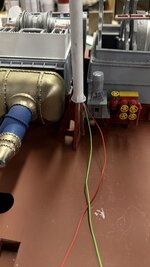
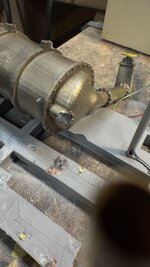
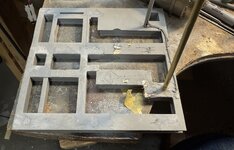
1:48 Engine Room #3 Battleship USS New Jersey for Permanent Display on Board. (1 Viewer)

Ad: This forum contains affiliate links to products on Amazon and eBay. More information in Terms and rules

Thank you!

Assembly is beginning. I started by finishing up the duck unders with gluing in the rails and adding the ladders. It required a bit of dark red touch up.

NJ ERP Duck Unders Done.jpg


Then big stuff building started with the main condenser. It has to go in first. I can't install the entire unit due to the interference created by the oppositely-facing intake and discharge mains. I chose to epoxy the intake side due to it's complexity and glue the discharge side after the unit is in the ship. The joint isn't so hot due to warpage in the print. I filled it as good as I could.

I then had to epoxy the main supports under it. The first attempt needed a redo when one side had slipped forward before fully curing (5 minute epoxy). I held it in place with a big gravity clamp.

NJ ERP Condenser Glue Up 1.jpg


I put all the necessary main propulsion pieces on the ship that required alignment. I found that I couldn't twist the 3º rotation needed by the No. 2 prop shaft.

NJ ERP Setting up Condenser for Gluing.jpg


The reason was insufficient clearance in the holes receiving the piping. With some careful surgery I opened both inlet and discharge openings to give more mobility to the condenser.

NJ ERP More Clearance for Discharge Chute.jpg


It's still not perfect, but better. If I rotate any more the valve wheel on the discharge gate valve sticks out beyond the imaginary bulkhead line. I can rotate the LP turbine itself to align it.

There is one more piece of large framing that surrounds the main gear box; the angle braces at the aftmost gear box wall. I was worried that this piece would need some "doctoring" for the same reason as the other part of the frame due to inpingement with the added vertical bracing that I built. It did need some strategic trimming. I found it best glue this piece directly onto the gear box and not the ship floor. I did this. It took two tries when it broke loose during a trial fit. The failure was gluing to paint and not the substrate. I removed the old CA, sanded the mating surfaces and re-glued.

This view shows this part in place. It's just as hard to view on the real ship as it is in the model.

NJ ERP Fitting the Rear Supports.jpg


Another trial fit of the startboard lower floor unit showed it's not nestling tight enough and was hanging out over the edge. The cure will be to open the slots around the angle braces more so it cane slide in further.

NJ ERP More Floor Relief Needed.jpg


Just when I was thinking about gluing down the main condenser, my brain worked again and realized that I need to fasten all the faux concrete dry dock supports before adding anything to the model. This is for several reasons including not being able to easily invert the model with components added. I also have to figure out the wiring runs vis-a-vis these blocks.

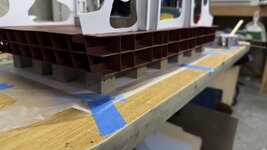
While lying in bed in my "create-while-awakening" period, I came up with a workable plan to attach the block by making a template of the bottom laying out where all the conduits are. Taping the template down and coving with Press-n-Seal food storage film; also taped down. Stick the blocks to the film in their correct locations regarding the conduits and then apply adhesive to all of them and bring the model down on top. I'm still thinking about what kind of adhesive. Of course I can use epoxy since it's longer cure time is a benefit. The other choices would be the 3M Transfer Tape or Servo Foam Tape. Both are pressure sensitive and positioning would have to be correct from the get go. Epoxy would be more forgiving. Any thoughts? I have found that both servo tape and the transfer tape can let go after a whlle, in this use there will be no sheer loads.

On another topic, I got tired of little plastic measuring cups tipping over and spilling. I designed and printed a cup holder. I'm going to make it available on Cults3D as printable .STL files. I tried it yesterday and it worked perfectly. Version 2.0 is being printed today and slimmed down the angle braces and added some finger grooves around the perimeter to facilitate lifting out the cup. I'm printing at least three for myself. I had one cup with paint and the other with CA Accelerator. Since I only had one, the accelerator was sitting on the bench and, of course, I knocked over.

Measure Cup Holder 2.jpg
Measure Cup Holder 1.jpg


Version 2.0

Paint Cup Holder~.png
 

Attachments

  • NJ ERP Main Column Fit.jpg
    NJ ERP Main Column Fit.jpg
    1.2 MB · Views: 15
Maybe...

Things are moving along. (Author's note: This post was uploaded prematurely so I could binge watch The Bastards of Pizzofalcone". I am now finishing it.)

First thing I did was further attack that floor piece to get it to fit. It took the removal of a bunch of the underneath framing until the angles cleared everything. I also had to notch a part to nestle to the athwartship angle brace. It's a bit ugly, but all of this is out of side. There is the evaporator deck over top with gratings. You will be viewing this area on a very oblique angle. At least that's one break I'm getting.

After taking this I plopped the assembly into the ultrasonic cleaner for a few minutes and made it all pretty again.

NJ ERP Floor Now Fits.jpg


The underneath is really ugly, but functional. There is no load on this part so having missing bracing means nothing. I way over-engineered this part.

NJ ERP Major Floor Surgery.jpg


I implemented my idea and it worked exactly as I envisioned. I laid out the bottom design on the previously used floor templates. I had to modify the templates slightly because the bottom skin's width is narrower than the hold floor's. This effected some of the conduit locations. I used a transfer punch to locate the holes on the modified template.

NJ ERP Block Layout.jpg


I then taped down the Press-n-Seal (sticky side up) over this plan. Each block was stuck to the film and it held strong enough to keep them from shifting.

NJ ERP Blocks on P-n-S.jpg


After several trial passes to get the model properly positioned on the blocks, I dabbed a dollop of epoxy on each and placed the model. The epoxy gave me a little manouvering time until it started to set up.

NJ ERP Gravity Clamps for Blocks.jpg


When the blocks setup I was rewarded with the P-n-S releasing easily and the block firmly glued to the model.

NJ ERP Blocks Epoxied.jpg


I was able to position every block so none fouled the conduit passages. I had to replace on of the soda straw conduits when it broke loose. I used one of the pieces of brass to carry the conduit to the bottom. Actuall all of the them should go to the base and I may add something to do that.

That was a big step, and I now can proceed mounting hardware on the model without worrying above the blocks.

Next big step… building the entire turbo-generator starting with the condensers. They have an opening at the top that must engage with the large transfer duct coming down from the TGs. There are four brackets on the condensers that mate with four on the frame. The joint is upwards, and clamping was next to impossible. But if I had some stock of the correct thickness, I could wedge the condenser into position long enough for the epoxy to cure. I stacked several pieces glued with CA to made this shim.
NJ ERP 1st TGC Glued.jpg


The brackets are hard to visual on the model and the real deal, but if you look closely you can see it.

NJ ERP The TGC Joint Typ.jpg


Condenser #2 needed a little clamping help along with the shim to orient it correctly until cured. I'm using 5 minute eppxy so curing is pretty fast.

NJ ERP 2nd TGC Gluing.jpg


The second's condensate pump got too cozy with the column next to it.

NJ ERP TG Cond Pump Interference.jpg


I first thought to grind material off the pump, but that was not good. It needed to have the column relocated. I cut of the 3D printed resin one, and drilled #20 and epoxied brass as a replacement. All the columns should have been brass as the resin ones definitely have warping issues.

NJ ERP Column Fix on TGC.jpg


Tomorrow I will install the TGs and then all the piping surroounding this unit. I could possibly be finished tomorrow, but surely on Monday.
 

Attachments

  • NJ ERP Support Blocks Gluing.jpg
    NJ ERP Support Blocks Gluing.jpg
    575.9 KB · Views: 13
Last edited:
You do that… Okay!

Friday wasn't such a good day. I was on the phone with my friend Bryant, who's building the base, and noticed that an upper joint of one of the vertical pipes out of one condenser was failing. One of the challenges of drilling resin to add metal rod reinforcement is that it can weaken the resin that's surrounds it. I think that's what was happening in this case. I repaired it with epoxy while still on the phone.

NJ ERP 1st Bad Thing.jpg


I then put the TG deck and condensers onto my pull-out tray on the main workbench that is 90º to my movable bench. It was too close to the edge (apparently). My new desk chair is pretty big and tend to run into thing behind me when I swivel it. Usually it knocks over the trash receptacle behind me. NOT THIS TIME!. This time it knocked the entire TG assembly onto the floor. Thank goodness that all that was glued on were the condensers and the TGs themselves. IT BASICALLY WRECKED IT!

NJ ERP 2nd Bad Thing 1.jpg


NJERP 2nd Bad Thing 4.jpg


Enough of the support columns were whacked that I removed the rest of them. All that remained unscathed were the brass ones. So that's the bad news.

In addition to the condensers themselves, there was some damage the foundation frame. I took care of it with Bondic.

NJ ERP 2nd Bad Thing 2.jpg


There's always a silver lining. In this case that optimistic view was my opportunity to improve the things that I didn't like about what I have made originally. I had printed the entire condenser assembly as a single part which led to some significant compromises. I also didn't like how the suspension frame came out. It wasn't staight or parallel and I didn't like it. Lastly, the resin columns were warping and weren't responding to my attempts to straighten them. This catastrophe made it essential to fix these things. I keep saying, the biggest advantage of building custom with your own designed and 3D printed parts is the ability to make new ones.

I am substituting brass for all the columns like I did on the mezzanine decks. This neccessitated redesinging the condenser mounting frame to column interface. I had printed the frames with the columns. It seemed like a good ideaat the time to ensure alignment. Except the alignment was off. There were other aspects of the mount that were troublesome especially the cross-brace that tied the two sides together. It was too thin, broke and required a jerry-rigged doubling that looked awful, but no one would see it bured under the turbos. I didn't like that either.

The new design has tubular structures that capture the columns. It's not exactly as the ship does it, but it will be more effective with the materials I'm using.

Screenshot 2025-08-11 at 6.40.39 PM.png


The other changes dealt with designing the condenser itself for better printing. I separated the main parts and am printing them individually. The original had the interior of the solid structure hollowed out that required a large drain hole at the bottom. In this iteration, I'm printing the central part as a simple, open cylinder that will print much more easily, and the only surface details is the bolt circle one end that has no suports, ergo no damage to worry about. All of the parts having adjoinng sheelves to assist in assembly.

Aux Cond New Scheme.png


I need two and the first set just finished on the printer. 3 out of 4 parts were perfect. The end bell without the down pipe dlaminated between the bolt flange and the dome. It looks lke a drawing error where the parts were in actual contact. Meanwhile, I started the job again since the good parts will work and I'll print the other as a separate job. It's much lower and should print in less than two hours.

While the printing was progressing there was more to do. I almost finished building the mezzanine deck. I'm trying an experiment by using the 3M high strength transfer tape instead of glue. I did test with one of the extra cabinets and it seems pretty strong. Gosh I sure hope so. It makes the joint perfectly clean. After adhering the switch gear cabinets, drilled a hole for the control console wiring. I quickly found out that I could stuff all four wires down the 4mm brass tube so I soldered the ground from the console's lighting to the ground connection from the other LEDs. It's not a pretty joint and I may make a little junction box to hide it a bit.

NJ ERP Mezzanie Wiring Junction.jpg


The other end looks like this.

NJ ERP Mezz Wiring Harness.jpg


Here's the mezzanine with cabinets permanently attached.

NL ERP Elec Cabs Installed.jpg


There's a small angle iron frame at the base of the triple lighting transformes. I painted them off the model by sticking them to some Scotch Double-sided tape. I attach them tomorrow.

NJ ERP Lighing Trans Trim Paint.jpg


What remains on the mezzanine is the railings and floor gratings plus some more touch up painting.

While I'm waiting for all the replacement turbo gen parts, I will keep moving through those things that I can assemble. Next up will be the evaporator decks. I have to get the vinyl cutter working. I want to make some of the graphics that way. Oh… I might have found a vendor to produce some 1:48 sailors in proper engine room dress. He's from Greece and I saw his stuff on eBay and Etsy. If it works out, I will publish his information.
 

Attachments

  • NJ ERP 2nd Bad Thing 5.jpg
    NJ ERP 2nd Bad Thing 5.jpg
    1 MB · Views: 12
  • NJ ERP 2nd Bad Thing 3.jpg
    NJ ERP 2nd Bad Thing 3.jpg
    983.6 KB · Views: 13
The newly minted condenser parts are working out well… except for one little slip up that needed an on site correction. While my intention was to have bosses on the end bells that would engage in a smaller opening at the condenser end. But that's not quite how it worked out. My hole was as big as the outer diameter of the bell. So I had to fill the hole with some sheet styrene epoxied in place and then epoxy the end bell on top. While it was annoying, applying some conventional modeling skills worked out okay.

NJ ERP Mistake Fix.jpg


On the first one above, I forgot to cut the hole for the boss. I ended up grinding it off flat and just glued it straight on. I do learn… the second one I cut the hole while I was cutting the styrene circle and it was a simpler job to glue it in place.

NJ ERP End Bell Flange.jpg


While this was going on, the rest of the new design was printing. This included the other end bell and the hanger frame. The other end bell did have the classic 3D drawing error. The bell portion of the drawing was not in actual contact with the flange. As I zoomed in I could see they were actually not in contact. It prints it EXACTLY as you draw it.

The end bells are both on and look okay.

NJ ERP End Bell Attached.jpg


Notice the new method of connecting to the columns. This way I can use brass all the way around, have no warpage, and because I are the becauce I drew the parts square with the hanger, the columns will be nicely plumb. I am going to see if I can glue the condenser to the hanger BEFORE gluing the hanger onto the foundation. It will be much easier to hold it inplace during curing.

NJ ERP Cond Support New.jpg


I have to take these outside tomorrow to do the bronze painting again using the Alclad black primer and the mixture of pale burnt metal and titanium yellow metallic lacquers.

And while all the curing and printing as going on, I was finishing up the electrical mezzanine decks. It is almost 100% finished. All that's left is working on some uneven tocuhup painting.

NJ ERP Elec Mezz Fin 1.jpg


The conduit leg was about 1/8" longer than the others. This was unintentional, but I left it that way so the wiring would be directed straight down the floor opening. It turns out that with the escape trunk epoxied in place, that the entire assembly had to shift a bit forward. This put that longer leg no longer aligned with the floor conduit. I trimmed the longer let with razor saw, holding the entire build in my left hand. I'm not sure about just butt gluing all the legs onto the hold floor. Instead, I'm going to epoxy some slightly smaller tubing into the legs, drilling the floor for the smaller tubes and then epoxying them in places. This will provide better positioning control and better gluing.

The grating went down pretty well and it's the first walkway getting it. I think it adds tremendous detail focus to the model.

NJ ERP Elec Mezz Fin 2.jpg


Looking straight down really show just how ephemeral the grating is. The red expose edge of the walkway will be inserted into the H-beam structure of the TG foundation and will not be visible any longer.

NJ ERP Elec Mezz Fin 3.jpg


On another front, here are the three paint cup holders I designed and printed. The two on the right are version 2 with the finger clearance facilitating getting the cups out. I also thinned the webbing. There's not real load, but I just like the way it looks. I did want them to have a bit of heft so they wouldn't move all over the plave when you stick a brush into whatever they're containing.

Measure Cup Holder Ver 2.0.jpg


Tomorrow, all the repairs would be complete inclduing paint so building the turbo-gen deck will continue, hopefully without further angst.
 
Last edited:
Thanks… Ryan informed me this morning that I should have left a gap between the electrical control panel and the switchgear cabinets. I don't have any wire slack to moved it much and the transfer tape is holding like crazy and I don't want to disturb it. He agreed that we can live with it. When I installed it I also thought that maybe I needed a gap there. I did mask and respray the back of the lower electical cabinets.

I added the rest of the plumbing to the new condensers and then took them outside to prime them with the Alclad gloss black. The gloss black gives the metallic paint more depth. You need to lef it fully cure for 24 hours, even though it's dry to the touch now.

NJ ERJ New Cons Primed.jpg


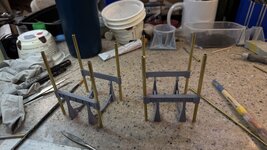
I got to work on preparing the brass columns and laying them out on the turbogen foundation. I should have known that changing the mounting system would cause me more work. It did. The column spacing changed requring new column hole locations. In most cases, the spacing change didn't cause a problem. But in others it caused some big ones. The spacing was wider in both directions. It placed one of the holes at the edge of the frame. I solved this by building out the shape with Bondic and then was able to drill it. That small pilot hole is from the old hole locations. When I cut off the resin columns I marked their locations with these small holes not realizing that my redesign would negate all of them.

IMG_7273.jpg


Then I had a slightly larger problem. I thought that I had laid out the new locations pretty carefully using a transfer punch to mark the hole locations using the new frames as a guide. I got 6 out of 8 locations correct. For the other two, I had the longitudinal spacing too tight by about 1/8" collectively. When I attempted to slide the frames down the columns to test the fit, the closeness put so much stress on the frame that it completely fractured. I am in the process ot lengthening the holes in the direction to get more length and epoxied the fracture back together. None of this messiness will be seen. It's the bottom and won't be possible to view. You can see the start of the hole-stretching exercise.

NJ ERP Fracture Repair.jpg


At this point it might be easier to simply reprint the entire frame with the new hole locations in the print. I'll see how this all works out.

Meanwhile, if that wasn't enough angst. I thought I measured the new columns carefully. I used the protruding length of the two existing brass columns as guides. I cut the 10 columns from the new tubing that arrived yesterday on my mini-cutoff saw. They were all nicely the same length using my DIY guage I made for this cutter. But they were all short!! I'm not sure where the error came from since I had inserted the new tubing in the hole before scribing the measured length. Oh well. I had enough tubing left over to cut 9 tubes and just order another three tube pack from Amazon that will be here on Friday. There's plenty of work to keep me busy building the other sub-assemblies.
 

Attachments

  • NJ ERP Brass Columns.jpg
    NJ ERP Brass Columns.jpg
    1.7 MB · Views: 83
Things are starting to get interesting (in a good way). The remade aux. condesers are finished and ready for installation. The new foundation frame is printed and in the ultrasonic. It will be put into action tomorrow. And I got the Sihoulette VInyl Cutter into action making the number callout labels for all the equipment to line up with the key that's going on the case.

Again, I took the condensers outside to do the metallic coat. This time instead of spraying the Alclad Pale Burnt Metal and following with a light coat of Alclad Titanium Yellow, I just mixed them beforehand and airbrushed it on. Worked fine. When dry I masked and painted the suspension rings (which I didn't do the last time) and then handpainted the condensate pumps details.

NJ ERP New & Improved Condensers.jpg


I replaced more resin columns with brass on the evaporator foundation, using the shorter ones from yesterday's screwup.

I had reviewed all the tutorials, and was at a point that I needed to get vinyl cutter going. The reason: The propeller shafts are installed soon, like before all the outer units go in. This means that their graphics have to be applied soon. I'm planning on making vinyl cut masks to put the stars and stripes onto blue and white painted base coats. I waas thinking originally about using custom decals for this, but wrapping them around the shaft didn't excite me. This is one of the two pass-through shafts in engine room #3.

NJ ER 3 Prop Shaft.png


All the major points of interest are going to be numbered. I laid out the numbers on the Sihoulette Studio graphics package. With my long experience using this kind of software, it didn't take long to learn it. What I didn't figure out was how to make it ACTUALLY work. That took about 20 minutes of fussing. I hadn't locked down the cutting head deep enough in its holder. This resulted in the machine running like mad, but cutting nothing but air. I also found the materials setting dialog to set the parameters for each kind of material. I found plain vinyl, and used the recommended settings. It started cutting immediately. What remained was finding the smallest font size that could be accurately cut. It turns out that smaller that 24 point, while cutting, didn't work out so well. I made two type sizes, 24 and 30 and cut the numbers.

I used one of the test numbers to see how well it stuck on the painted resin. It sticks like crazy. This was an extra turbo.

NJ ERP Vinyl Cut Number Test.jpg


Here's the cutter at work. The cutout areas in the bottom of the sheet were my test cuts. One of the tutorials suggested doing the tests at the bottom of the sheet so you can view and remove the samples without taking the stock out of the machine without disturbing any registration.

Sihoulette Cameo 3 at Work.jpg


Here's the cut sheet. Some of the numbers detached too easily from the backing sheet. I bought the transfer tape at Michael's Crafts. This is supposed to enable the cut item to be plucked off the vinyl backing sheet and then transfered to where you wanted to put it. I mistakenly bought tape for glitter vinyl which is a completely different material. So I tried Tamiya Masking Tape and it worked perfectly. It has enough tack to pick up the cut peices, but then let me apply them to the model with no difficulty. I used a burnishing tool to burnish down the numbers before removing the Tamiya tape. Another tip I learned was to draw and cut a box around the graphics enabling you to weed (term used to remove the unwanted parts of the cut) just the area you're working on and not having to peel and destroy the entire sheet.

NJ ERP Vinyl Cut Numbers.jpg


Here are the number on the electical cabinets. Oh… look! Two "25s"! What idiot is actually doing this job. I'm glad I took this picture. I will fix tomorrow. Now we'll find out how tighlty the vinyl really sticks.

NJ ERP Numbering Start.jpg


And the actual turbogenerators...

NJ ERP TGs Numbered.jpg


And the evaporators… which are also now epoxied to their frame. I have to add floor gratings and it will be ready to install on the hold floor.

NJ ERP Evap Numbered.jpg


And the front side...

NJ ERP Evap In Place.jpg


I'm concerned about the strength of butt joining the columns to the hold floor. These joints are ultra-critical. I thinking about filling the open ends of the tubing columns with J-B Weld epoxy putty, then drilling and installing some brass pins. The pins would provide a more solid joint.

The job is accelerating and more finished stuff is going to be appearing each work session. The base is also nearing completion. I'm going out on the limb and saying that sometime in September the model will be done.
 
Not much done today. My daughter had a very rare major flat tire and needed to be ferried around this afternoon. But I did get ALL of the numbers applied to all the required parts. I've also finalized the stars & stripes graphics drawing that will be used to cut the pieces in the new vinyl cutter. I found out that even though the vinyl says, "Permanent Adhesive", you can still carefully pry it loose and replace any errors, like I did twice. The new TG frame is ready to be trimmed and post-cured, but that will have to wait until Monday. Have a nice weekend.
 

Users who are viewing this thread

Back