You should have a cropping tool, click the icon for it and move the cursor onto the photo. Once near the section you would like to crop out, left click and move the cursor either side toside or up and down. You now have a moving dotted line in the outline of a box. Anything inside the box will be in the photo, click on your file icon and scroll down to (Save as) and click on this. this will make you coppeid photo as a whole new file saving the old one also. Hope this helps.
I have not had this problem because I use my photos. You'll have to find large enough photo that you can enlarge just enough to still be clear and usable.
You or someone else can go until I can get Photoshop to work, I don't have any of my own photos ATM so the internet + photoshop is the only way I could do it.
Only if you say 'Please', and 'Thank You'.
OK, just to keep things going, and to make it easier than it already is - it's not British, either in origination or, in this instance, service.
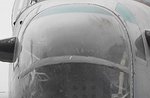
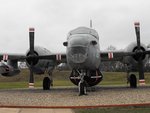
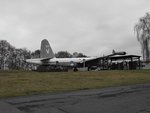
Definitely not a Bolo - but it is a Neptune, in this case a former Netherlands Kon Marine aircraft, at Cosford. Hence the reference to clogs!
Well done Jim.