Njaco's New Sig

Ad: This forum contains affiliate links to products on Amazon and eBay. More information in Terms and rules

Thanks guys, it was a one day joke.

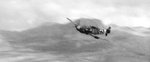
Now my new one for now. I really like the movement of the 109 and just plain. Overstatement with understatement.
 

Attachments

  • njaco24.jpg
    njaco24.jpg
    16.1 KB · Views: 460
Grau, I loved that one as well. Maybe after New Years I'll switch. I wish I could make a gif of those two changing every few minutes but I think it would be too large.

and here is the original....
 

Attachments

  • fastbf.jpg
    fastbf.jpg
    36.1 KB · Views: 201
SO IT IS!!! :shock: I didn't notice it until you pointed it out...:oops: So, NJ, how come that you're using MY machine, hmmm??? :lol:
 
...I wish I could make a gif of those two changing every few minutes but I think it would be too large...

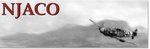
Not as large of a file as you might expect...

One thing in your favor with an ani-gif, is that a .gif file is much smaller than a .jpg...of course, the down-side to that is loss of quality/resolution. In the case of these two pix, the image quality is such that a conversion to a .gif is not aparent at all, so it's very do-able!

Here, I've grabbed both of your original sigs, modified the Fw190 one to create one that matches the Bf109 (had to grab the "NJACO" from the Bf109 examples because I don't have that font in my system), and made a nifty little animation that's a total file size of 107Kb...not too bad, really.

I set the delay to 1000 per frame (only two frames) which is around 7 seconds or so, you could go a bit longer if you want. And while I was REALLY tempted to make the '190 display longer, I was nice and left them both at an even display time...
 

Attachments

  • njaco_ani-sig.gif
    njaco_ani-sig.gif
    106 KB · Views: 1,647
Thanks Grau!!! I'm gonna see if it works. I understand about the Fw 190 - actually my fav as you can tell from my avatar but the 109 pic was cool - really liked the movement.

haha it works!!!!!!

THANKS!!!!
 
Your welcome, glad you liked it!

As you've probably figured by now, the '190 is my fav...lol

But that is a sweet pic of the '109 in motion, someone was really on the ball when they snapped that shot!

You can always adjust the time delay in an animation by editing the frame properties using Animation Shop and for the example I posted, it has about a 7 second delay (set in increments of 1/100), the value being 1000. It won't add much size to the image file by extending the time delay, as it stands, my sig is a larger file then the animated sig example.

I also just realized you bevelled the edges on your sig, I buttonized the border on the example...dang it.

LMAO!! I see you added it after I posted. Glad I could hook ya' up! :thumbright:
 
I have a very primitive idea of how gifs work. As my limited funds keep me to using GIMP and IFRANVIEW I try to do those amazing things that Wurger and others come up with.

Is there a program that makes gifs? I was just looking at those pics and I think I can make several pics of the planes in motion - either going across the mountains (the 109) or coming at you (the 190).

A new project!
 
To be honest, I was never all that fond of IfranView or GIMP. More of a personal preferance than anything.

I use Animation Shop 3.0 for animations, by Jasc.

It was only bundled with PhotoShop 7 that I'm aware of. You might want to Google for a free animated .gif creation software unless somebody here has a better recommendation.

There is also an online .gif editor called gifworks, you can give that a try. I used to fool around with it about 10 years ago...it's pretty cool, really. If anything, it'll help you see how an animation works and give you some practice at the same time :)

GIFWorks.com! Free Online GIF Tools
 

Users who are viewing this thread

Back