
Navigation
Install the app
How to install the app on iOS
Follow along with the video below to see how to install our site as a web app on your home screen.
Note: This feature may not be available in some browsers.
More options
You are using an out of date browser. It may not display this or other websites correctly.
You should upgrade or use an alternative browser.
You should upgrade or use an alternative browser.
The next Lucky13 sig...??? (1 Viewer)
- Thread starter Lucky13
- Start date
More options
Who Replied?


109ROAMING
2nd Lieutenant
Love the new sig Jan 8) Well done Marcel and Wojtek -masters you are

- Thread starter
- #225

Lucky13
Forum Mascot


Vic Balshaw
Major General
Being a novice at this game, I can't seem to get one to work. Any helpers?


GrauGeist
Generalfeldmarschall zur Luftschiff Abteilung
Always gotta start somewhereBeing a novice at this game, I can't seem to get one to work. Any helpers?

Have a look at this thread: http://www.ww2aircraft.net/forum/signature-general-pics-upload/official-how-make-signature-thread-10669.html, real good info and should steer you in the right direction as far as getting a sig loaded up.
If you need help with an image, feel free to start up a thread. There's some very talented folks here that will be able to give you a hand.

Vic Balshaw
Major General
Thanks GG, I'll give it a whirl.
Vic Balshaw
Major General
Many thanks GG. I'm now up and running.

Airframes
Benevolens Magister
Nice one Vic, and very appropriate mate.
- Thread starter
- #231
Lucky13
Forum Mascot
Downloaded it, the IrfanView that is! Now, how the h*ll do I use it?
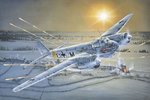
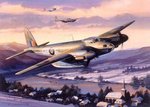
Thought that I'd try and have some fun with these....
Thought that I'd try and have some fun with these....
Attachments
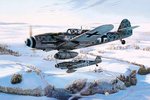
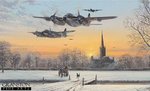
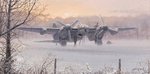
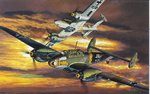

vikingBerserker
Lieutenant General
Nice! The last is pretty sharp.

B-17engineer
Colonel
Well what are you trying to accomplish is the question?
To add text you just left click and make a box, then hit edit and it says "Insert text into selection." Click that then go to change font and you can do whatever your heart desires
To resize hit image> resize/resample and then it gives you a whole bunch of options. The right side it has a whole bunch of different numbers of pixels. Click whatever and it should resize it.
Sorry I can't give a better description! I have to go now. Hope it helps a bit...
To add effects go to image > effects. It is pretty cool some of the effects. Irfanview isn't one for siggy's just more resizing. But it's free
To add text you just left click and make a box, then hit edit and it says "Insert text into selection." Click that then go to change font and you can do whatever your heart desires
To resize hit image> resize/resample and then it gives you a whole bunch of options. The right side it has a whole bunch of different numbers of pixels. Click whatever and it should resize it.
Sorry I can't give a better description! I have to go now. Hope it helps a bit...
To add effects go to image > effects. It is pretty cool some of the effects. Irfanview isn't one for siggy's just more resizing. But it's free
- Thread starter
- #234
Lucky13
Forum Mascot
Try to make my own sig's H, instead for harassing the poor souls here.... Give me a decade or two and I might be half as good as Wojtek Co.....
Give me a decade or two and I might be half as good as Wojtek Co.....- Thread starter
- #235
Lucky13
Forum Mascot
How do you resize to get proper size for sig's and avatars, can you use the IrfanView or do I need something else as well?

Njaco
The Pop-Tart Whisperer
You can Irfanview but sometimes sharpness is lost. Much better to use a graphics program like Photoshop or my favorite, GIMP.
Jan, I'll try to mess around with some of those pics for you alittle later.
Jan, I'll try to mess around with some of those pics for you alittle later.
- Thread starter
- #237
Lucky13
Forum Mascot
Oh, right, thanks a million Chris! 
Njaco
The Pop-Tart Whisperer
no worries. You want a xmas siggy?
- Thread starter
- #239
Lucky13
Forum Mascot
Aye...if you really don't mind.
Is the Gimp thingy, something that you can download as well?
Is the Gimp thingy, something that you can download as well?
You can Irfanview but sometimes sharpness is lost.
If the program settings for resizing aren't set correctly this can occur.Also you can use "Shift+S" key shortcut for making a pic sharpness better .
Last edited:
Users who are viewing this thread
Total: 2 (members: 0, guests: 2)


